
What Do Camera Shaders Actually Need From a Control Room Layout?
The question we hear most often: how should a control room be arranged so shaders, vision mixer and director each see what they need? Notes from planning multi-camera rooms.
5 minutes to read
The question behind the question
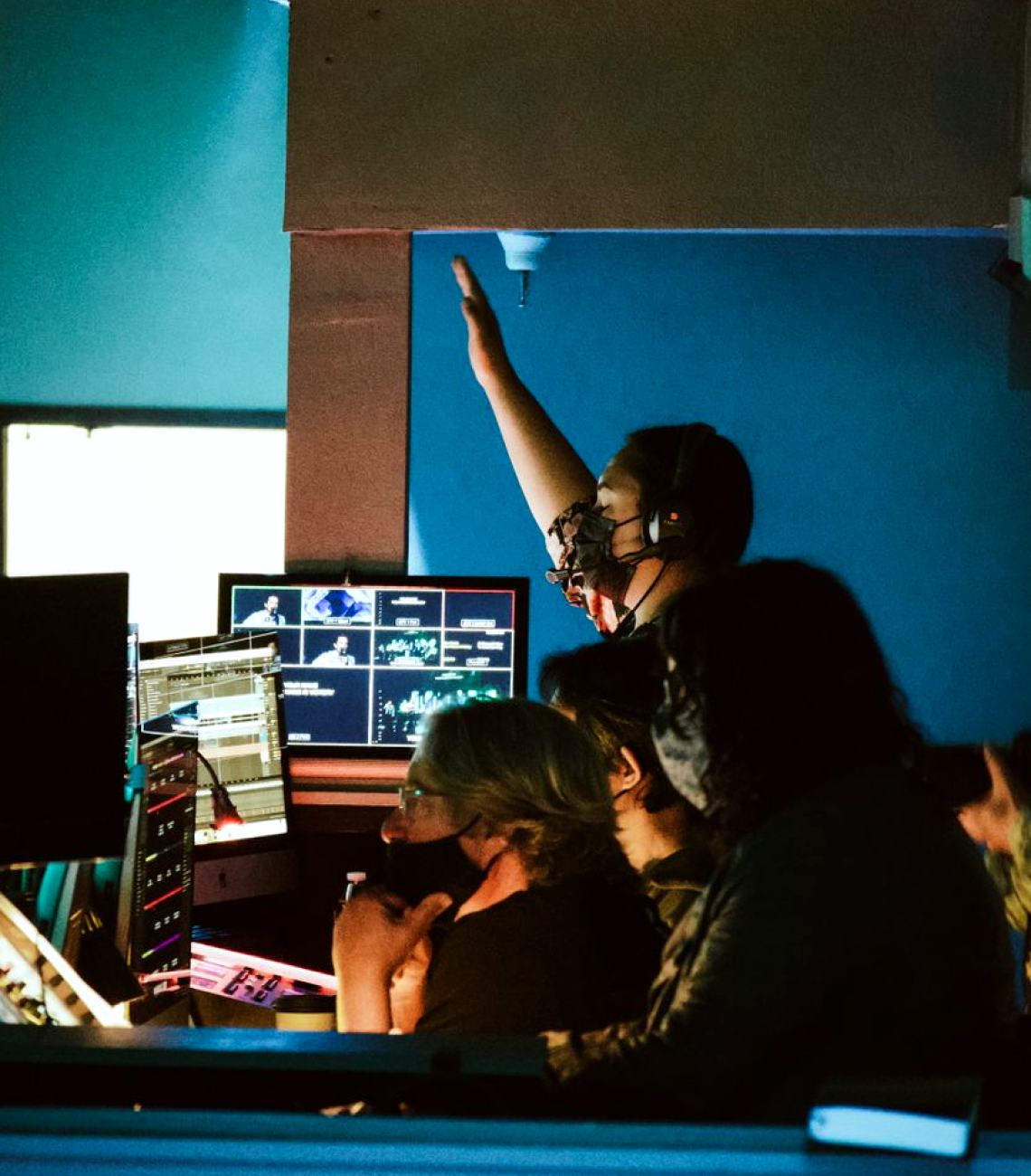
Almost every planning conversation on camera control reaches the same point. A technical manager asks how many shading positions the room needs, where they should sit, and whether the shader can share a bench with anyone else. It sounds like a furniture question, but it is really about what a shader has to do during a show: judge exposure and colour on a calibrated monitor, reach the control surface without leaning, and hear the director without being distracted by the gallery chatter.
Our answer starts with the production rather than the room. A three-camera chat programme and an eight-camera entertainment show with remote heads place very different demands on the people involved. Before we draw a bench, we ask how often looks change during a recording, who calls the cameras, and whether shading happens live or is mostly set up before the doors open. Those answers decide almost everything else.
Where the shader should sit
The shading position works best when it is close to the vision mixer but acoustically and visually a little apart. The shader needs a reference monitor at a fixed viewing distance, with controlled light falling on the screen. A bench placed beside the main monitor wall, with its own shielded monitor, usually serves better than a seat in the middle of it, where overhead lighting and glare from neighbouring screens affect judgement.
We also look at reach. Camera control panels, whether one per camera or a shared panel with selection buttons, should sit within easy arm movement, with the iris and black controls where the hands naturally rest. Owen's rule of thumb from site visits: if the shader has to stand up to reach a control during a show, the layout needs another pass.
- Reference monitor at a consistent distance and angle
- Neutral, dimmable light around the shading bench
- Control surface within seated reach
- A clear line to the director and the vision mixer
Sightlines and the monitor wall
Monitor walls grow by accretion. A new camera gets a new screen, an extra source gets squeezed in, and soon the director is reading a patchwork. When we plan a layout we draw the sightlines from each seat to the screens that person actually uses, and we group the wall by role: programme and preview in the centre, camera sources in a consistent order, then utilities and graphics at the edges.
Camera numbering matters more than people expect. If the monitors, the tally lights, the control panels and the labels on the studio floor all follow the same order, errors during a fast show fall noticeably. We ask clients to settle numbering early and to keep it fixed from show to show, because a crew relearning positions is a crew making mistakes at the worst moment.
Remote heads and the operator's workload
Remote heads change the room because someone now controls pan, tilt and zoom from a distance. The question we are then asked is whether the shader can also operate heads. Sometimes yes, for a simple locked-off setup with a few presets. For moving shots in a live programme, a separate operator is usually the safer plan, seated where they can see both their own screens and the studio floor if the layout allows.
We plan cable routes and control data paths for these heads at the same stage as the room layout, not afterwards. A neat route into the control room, labelled at both ends, saves hours during installation and makes fault finding straightforward. It is dull work, but it is the part that keeps a show running when something unexpectedly stops responding.
- Decide early who operates heads and who shades
- Keep preset naming consistent across shows
- Label every control and data run at both ends
Planning for the room you will have in five years
Camera counts and formats change. A room built tightly around today's six cameras can become awkward when a production wants eight. We therefore leave space on the bench for additional panels and run spare conduit rather than fitting everything to the minimum. That does not mean oversizing the room, only deciding where growth would go before the first desk is ordered.
We also suggest keeping the shading and control layout documented in plain drawings, with seat positions, monitor assignments and cable schedules. When a new engineer joins, or a different crew books the studio, that single set of drawings answers most of the questions that otherwise travel by phone on the day.
A short list to take into your own planning
If you are reviewing an existing room or briefing a designer, a few checks will tell you quickly where the weak points lie. They cost nothing to run through, and they turn a vague unease about the gallery into specific items you can discuss with a designer or an integrator.
None of them require new equipment. Most are decisions about position, order and labelling, which is exactly why they are so often skipped when a room is built under time pressure and then regretted over the following seasons.
- Can the shader see a reference monitor without glare?
- Does camera numbering match everywhere it appears?
- Is there room on the bench for another panel?
- Are cable runs for remote heads labelled and documented?
The most common question has a plain answer: arrange the control room around what each person has to see and reach during the show, then keep numbering and labelling consistent. Start from the production, draw real sightlines, leave space for growth and write it all down. If you would like us to look at a room or a plan, send an enquiry through the contact page.
Owen Davies
Camera Systems EngineerOwen specialises in camera control and signal routing for multi-camera productions.
Ask for a quote
- Call us
- 01792 410 386
- Write to us
- [email protected]